

Submit Club Racing Results
Submit results using the Web App
(recommended)
Submit results using Google Sheets
(alternative for desktop or laptop only)
Fix / Correct Results
(restore data for corrections after submission)
Using the Web App
-
Clear any previous results
It is best to Clear All Results (red button) at the beginning of each session.
You can press it again later if you need to start again. -
Fill in the top section
- Race Date
- Race Officer's Name
- Contact Details: phone or email (only seen by results coordinator and used if there are queries)
-
Enter or edit a boat
Type the sail number in the yellow box press GO (or hit Enter).
If recognised then class and helm name appears automatically
If not recognised, you will be prompted to choose the class of boat from a dropdown menu. Also enter helm/crew names if known. -
Enter results for each race
For Race 1, 2 and 3 (if sailed):
Time type as mm.ss (example: 28.45 = 28 min 45 sec)
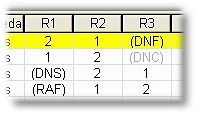
Laps / Code number of laps or select code (DNF, OCS, DSQ, OOD, etc.) -
Save
Tap green Save Result button.
You'll see a Saved!" message and the boat appears in the list at the bottom. -
Edit results
Press Edit next to the result or re-enter the same sail number press GO edit the times/codes. Save again.
It overwrites the previous entry for that boat. -
Check everything
Review the list at the bottom. Make sure you have entered everything correctly for all boats.
-
Submit and Publish
When happy, tap blue SUBMIT & PUBLISH RESULTS.
It will:
Create PDF of provisional results
Ask you to check them (tick all boxes once checked)
Send the results to the results coordinator
Upload the results to the website for the sailors to see how they did
You'll see Success!" when finished. -
If you need to correct a mistake after publishing
When you submit results, it clears the form so it is ready for the next user. If you need to make changes to the most recently submitted results, use the red "Fix / Correct Results" button at the top of this page to restore previously submitted data ready for amendments.
Notes
- Internet connection required to save and submit
- Duty boats claiming average series points: use OOD code
- Questions or issues email results@drsc.co.uk or speak to Alastair Conn
Thank you for helping with the results!
Last updated 09:14 on 18 July 2026